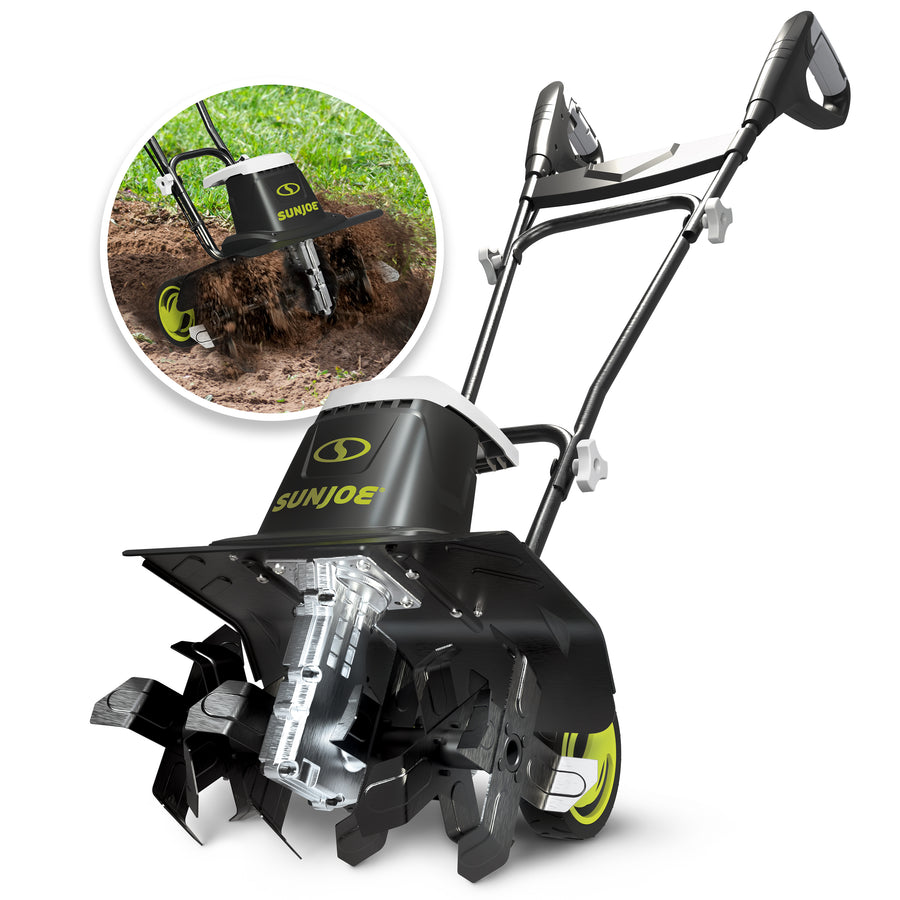
Meet the TJ603E

Key Components
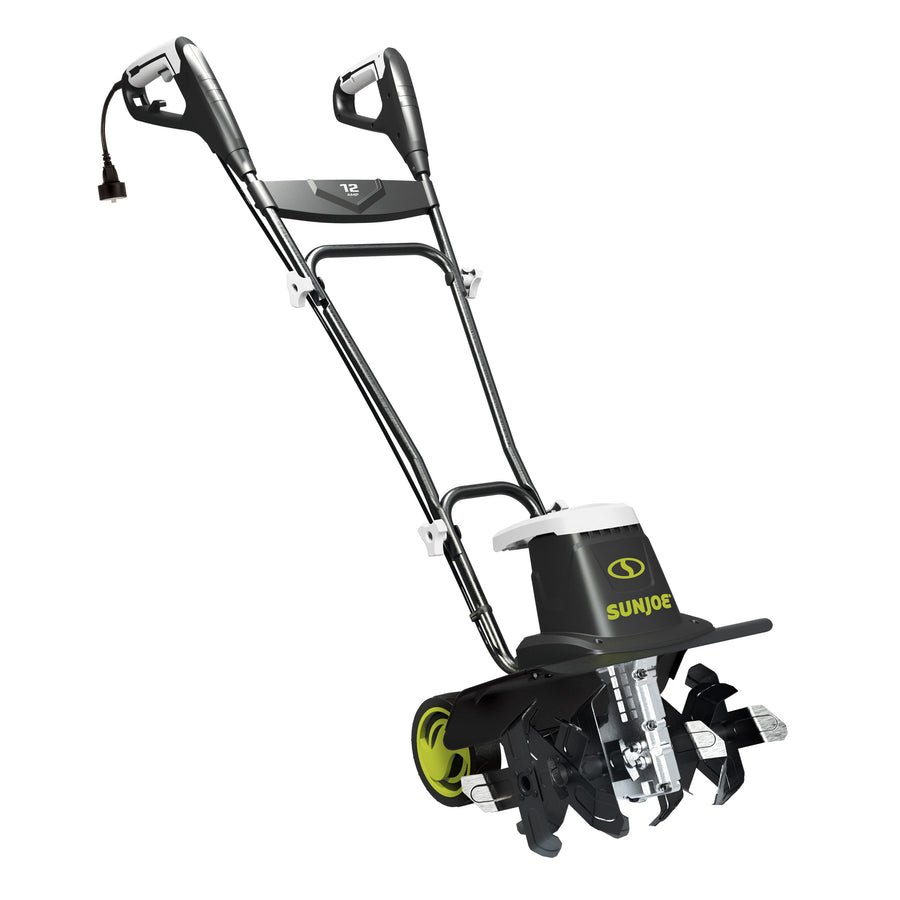
Trigger switch — squeeze to run the tiller after pressing the safety lock button
Safety lock button — helps prevent accidental startup
Right and left handle grips — keep both hands on the machine during operation
Appliance cord — connects to a proper outdoor-rated extension cord
Extension cord restraint hook — helps keep the extension cord connected while working
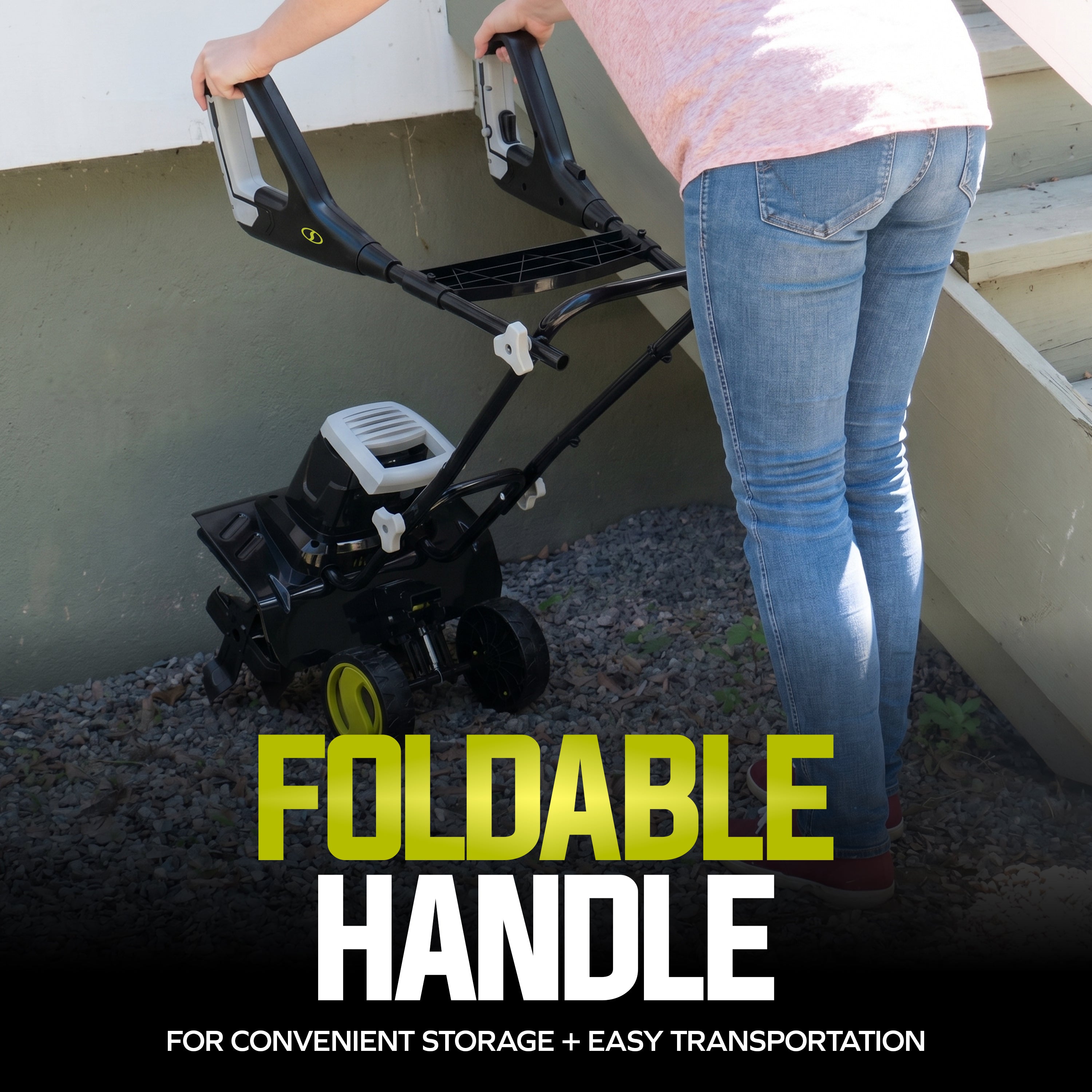
Upper, middle, and lower handles — foldable 3-section handle design for storage and transport
Air vents — keep clean to help prevent overheating
Guard — helps shield the operator from debris
Wheel adjustment — 3-position wheels help control transport and cultivating depth
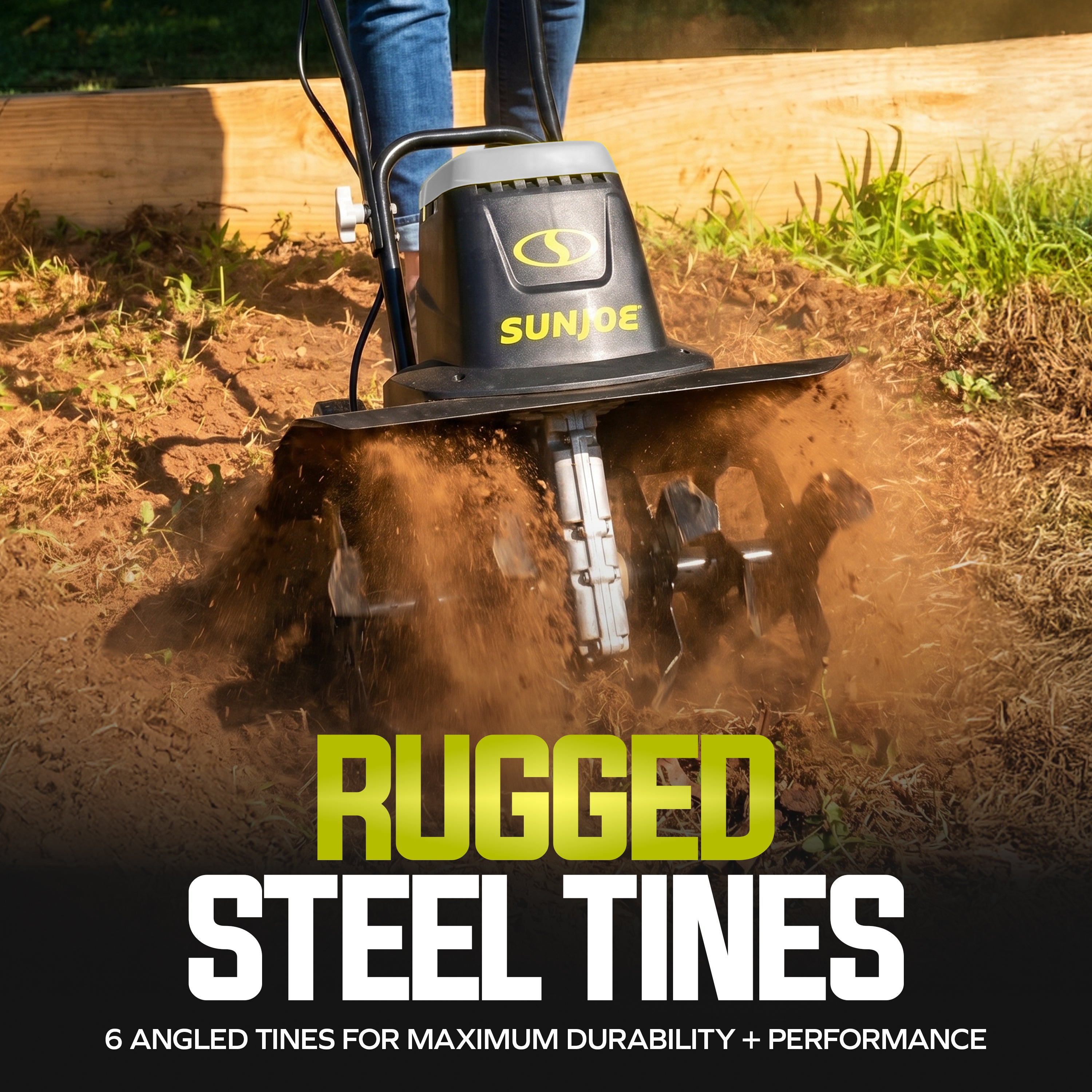
6 steel blades — till and cultivate soil up to 8 inches deep
Gear box — transfers power from the motor to the tilling blades
Technical Specifications
| Specification | TJ603E |
|---|---|
| Product Type | Electric garden tiller + cultivator |
| Best Use | Small gardens, flower beds, soil prep, and mixing compost or fertilizer |
| Power Source | Corded electric |
| Motor | 12 amp / 1440 W rated input |
| Rated Voltage | 120V AC, 60 Hz |
| No Load Speed | 370 ± 10% RPM |
| Rotor | 6 steel tilling blades |
| Maximum Cultivating Width | 16 in. / 40.6 cm |
| Maximum Cultivating Depth | 8 in. / 20.3 cm |
| Wheel Adjustment | 3 positions |
| Handle | Foldable 3-section handle |
| Cord Lock | Yes, extension cord restraint hook |
| Extension Cord Guidance | 14 AWG up to 50 ft; 12 AWG from 50–100 ft |
| Maximum Extension Cord Length | 100 ft |
| Product Dimensions | 28.8 in. x 17 in. x 51.3 in. |
| Net Weight | 26.3 lbs / 11.95 kg |
| Warranty | 2 Year Warranty |
What's in the Box
| Included Item | TJ603E |
|---|---|
| Electric tiller + cultivator housing | ✔ |
| Upper handle | ✔ |
| Middle handle | ✔ |
| Handle knob and bolt | ✔ 4 |
| Manual with registration card | ✔ |
Assembly
-
Attach the cable clip
Clip the cable clip onto the middle handle bar before joining the handle sections.
-
Prepare the knobs and bolts
Remove the bolts from the knobs and keep them accessible so small parts do not get lost during assembly.
-
Connect the middle handle
Secure the middle handle to the lower handle using the first set of knobs and bolts. Tighten the knobs on both sides.
-
Connect the upper handle
Attach the upper handle to the middle handle using the second set of knobs and bolts. Tighten both sides securely.
-
Secure the cable
Place the cable inside the cable clip so it stays clear of the blades and moving parts.
Getting Started
-
Inspect the work area
Remove stones, sticks, wires, and other objects that could be thrown by the blades or damage the unit.
-
Use the correct extension cord
Connect the tiller to a working 120V outlet using a heavy-duty outdoor extension cord. Use 14 AWG up to 50 ft or 12 AWG from 50–100 ft. Do not use an extension cord over 100 ft.
-
Secure the cord
Make a loop in the extension cord and place it through the handle opening and around the restraint hook. Then connect the extension cord to the appliance cord.
-
Set the wheels
Pull each wheel and move it to the desired position. Make sure both wheels are set to the same height and locked before use.
-
Start the tiller
Press and hold the safety lock button with your thumb, then squeeze the trigger switch. Once the tool is running, release the safety lock button.
-
Till at a normal walking pace
Move in straight, slightly overlapping rows. For full coverage, first till vertically, then work horizontally from left to right.
-
Stop the tiller
Release the trigger switch. Wait for the blades to stop completely before lifting, inspecting, transporting, or cleaning the machine.
Operating Tips
Use on suitable soil
The TJ603E is designed for small gardens and flower beds. It can loosen and turn soil, and mix coarse soil with fertilizer, peat, or compost.
Avoid extremely dry or wet soil
Do not till extremely dry soil or very wet soil. Wet soil can stick to the blades and may cause slipping.
Keep a firm two-hand grip
Hold both handles during use. Keep handles dry and apply light pressure to guide the machine.
Work across slopes
When working on slopes, follow the safety symbol guidance and work across the slope, never up and down.
Maintenance & Care
Clean after each use
Use a dry cloth and brush to remove soil, dirt, foliage, and debris from the blades, drive shaft, tool surface, and vents.
Keep air vents clear
Blocked air vents can cause overheating. Clean vents with a cloth and brush after every use.
Clean the underbody and blades safely
Wear safety gloves and use a brush or wooden stick to remove soil from the blades. Never use bare hands near the working tool.
Lubricate blades
Spray or rub biodegradable oil onto the blades after each use to help prolong blade life.
Check hardware
Inspect nuts, bolts, screws, labels, guards, and safety features before and after use. Tighten loose hardware before operating.
Replace worn blades in pairs
The machine uses 6 tilling blades. Always replace blade pairs together and install new blades in the same turning direction as the originals.
Store indoors
Store the tiller in a dark, dry, frost-free, well-ventilated place out of children’s reach. Recommended storage temperature is 50°F to 86°F.
Changing the Blades
-
Power down safely
Place the unit on a flat, stable surface. Turn the unit OFF and unplug it from the extension cord.
-
Remove old blades
Remove the 2 bolts and 2 nuts, then remove the steel blades from the drive shaft.
-
Clean the drive shaft
Clean the drive shaft with biodegradable oil before installing replacement blades.
-
Install replacement blades
Place the new blades on the drive shaft so the holes on the blade axles line up with the holes on the drive shaft.
-
Secure the blades
Insert the 2 bolts through the holes and secure them with the 2 nuts. Confirm the blades are installed in the correct turning direction.
Troubleshooting Guide
Only perform the checks below. Always unplug the tiller and wait for the blades to stop before inspecting, cleaning, adjusting, or transporting the unit.
Possible Causes
- Unit is not connected to a working 120V outlet
- Extension cord is not fully connected
- Safety lock button and trigger switch are not being used correctly
- Extension cord is damaged or undersized
Solutions
- Check the outlet and extension cord connection
- Secure the cord through the restraint hook
- Press and hold the safety lock button, then squeeze the trigger switch
- Use a proper outdoor-rated extension cord
Possible Causes
- Air vents are blocked
- Soil is too hard or resistant
- Unit is being forced too deeply
- Extension cord is too long or wrong gauge
Solutions
- Switch OFF, unplug, and let the unit cool
- Clean the air vents with a cloth and brush
- Reduce tilling depth and do not force the machine
- Use 14 AWG up to 50 ft or 12 AWG from 50–100 ft
Possible Causes
- Soil, foliage, or debris is wrapped around the blades
- Wet soil is sticking to the working tool
- Blade area has not been cleaned after use
Solutions
- Switch OFF, unplug, and wait for the blades to stop
- Wear gloves and remove debris with a brush or wooden stick
- Avoid tilling very wet soil
- Clean and oil the blades after each use
Possible Causes
- Machine struck a foreign object
- Blades are damaged, worn, or installed incorrectly
- Hardware is loose
Solutions
- Stop the motor immediately and unplug the unit
- Let the machine cool completely
- Inspect thoroughly for damage
- Tighten loose nuts, bolts, and screws
- Replace damaged blades or contact service
Possible Causes
- Blades are worn from extended use
- Soil is too wet, too dry, or too compacted
- Rows are not overlapping
Solutions
- Inspect the blades and replace worn working parts if needed
- Use on appropriate soil conditions
- Till in slightly overlapping rows
- Work vertically first, then horizontally for full coverage
Possible Causes
- Wheel adjustment is not fully locked
- Both wheels are not set to the same height
Solutions
- Switch OFF and unplug the tiller before adjusting
- Pull each wheel, set it to the desired position, and release it fully
- Confirm both wheels are locked at the same height before use
Possible Cause
- Power cord or extension cord is cut, worn, or damaged
Solution
- Switch OFF and unplug immediately
- Do not use the unit with a damaged cord
- Replace damaged extension cord immediately
- Contact All Season Power at 1-866-225-9723 for power cord service
Video Guide
Frequently Asked Questions
What comes with the TJ603E?
What is the TJ603E designed to do?
Can I use the TJ603E in wet soil or rain?
What extension cord should I use?
How do I adjust the tilling depth?
What replacement blades does this model use?
What optional accessories are listed for this model?
Optional accessories listed for the TJ603E include:
- TJ603E-2 — replacement blades
- PJEXT50-B — Snow Joe® + Sun Joe® SJTW-A 14-gauge 50-foot extension cord with lighted end